Chatbot-X

Blog

News, insights and updates from the Chatbot-X team

Product Update Coming Soon

WhatsApp Chatbot Integration: Reach Your Customers Where They Are
January 8, 2026
4 min read
Chatbot-X Team
WhatsApp Chatbot Integration
Feature in Development

This feature is currently under active development. Stay tuned for the official release!

We're thrilled to announce that WhatsApp integration is coming to Chatbot-X! Soon you'll be able to connect with your customers through the world's most popular messaging platform, making customer communication more accessible than ever.

What is WhatsApp Chatbot Integration?

WhatsApp Chatbot Integration allows you to embed a WhatsApp chat button directly on your website. When visitors click the button, they're instantly connected to your business via WhatsApp, opening either WhatsApp Web on desktop or the WhatsApp app on mobile devices.

Unlike traditional website chat widgets that keep conversations within your site, WhatsApp integration lets customers continue the conversation in their preferred messaging app. This means they can reach out to you anytime, even after leaving your website.

Key Benefits

Global Reach

With over 2 billion users worldwide, WhatsApp is the preferred communication channel for customers across the globe.

Mobile-First Experience

Customers can message you directly from their phones without needing to stay on your website.

Familiar Interface

No learning curve for your customers – they already know and love using WhatsApp every day.

Persistent Conversations

Chat history is preserved in WhatsApp, making it easy to continue conversations at any time.

How It Will Work

Setting up a WhatsApp chatbot in Chatbot-X will be simple and straightforward:

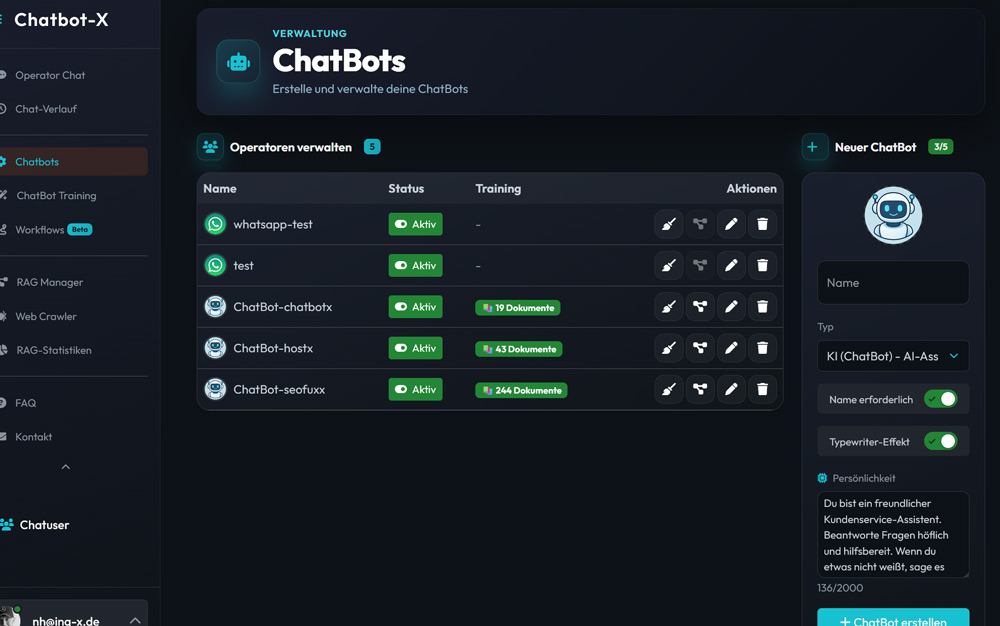
  1. Create a WhatsApp ChatBot: Navigate to the ChatBots section and select "WhatsApp" as your chatbot type.
  2. Configure Your Phone Number: Enter your business WhatsApp number and customize your default greeting message.
  3. Embed on Your Website: Use the same familiar embed code – just specify your WhatsApp chatbot name.
  4. Start Connecting: Visitors will see a WhatsApp icon instead of the regular chat widget, and clicking it opens a direct WhatsApp conversation.

Use Cases

WhatsApp integration is perfect for businesses that want to:

  • Provide Personal Support: Give customers a direct line to your support team through a channel they trust.
  • Generate Leads: Make it incredibly easy for potential customers to reach out and start a conversation.
  • Handle Sales Inquiries: Allow prospects to ask questions about products or services in real-time.
  • Build Customer Relationships: Create ongoing conversations that extend beyond a single website visit.

What You Need to Know

  • Direct Communication: Messages go straight to your WhatsApp – no additional software needed
  • Cross-Platform: Works on desktop (WhatsApp Web) and mobile (WhatsApp app)
  • Same Embed Code: Uses the same integration method as regular chatbots

Stay Updated

We're working hard to bring this feature to you soon. Check back for updates or follow us to be the first to know when WhatsApp integration goes live!

Chatbot-X Team

Building the future of AI-powered customer communication
Product Update New Feature

New Canvas Workflows: Visual Automation Made Simple

December 7, 2025
5 min read
Chatbot-X Team
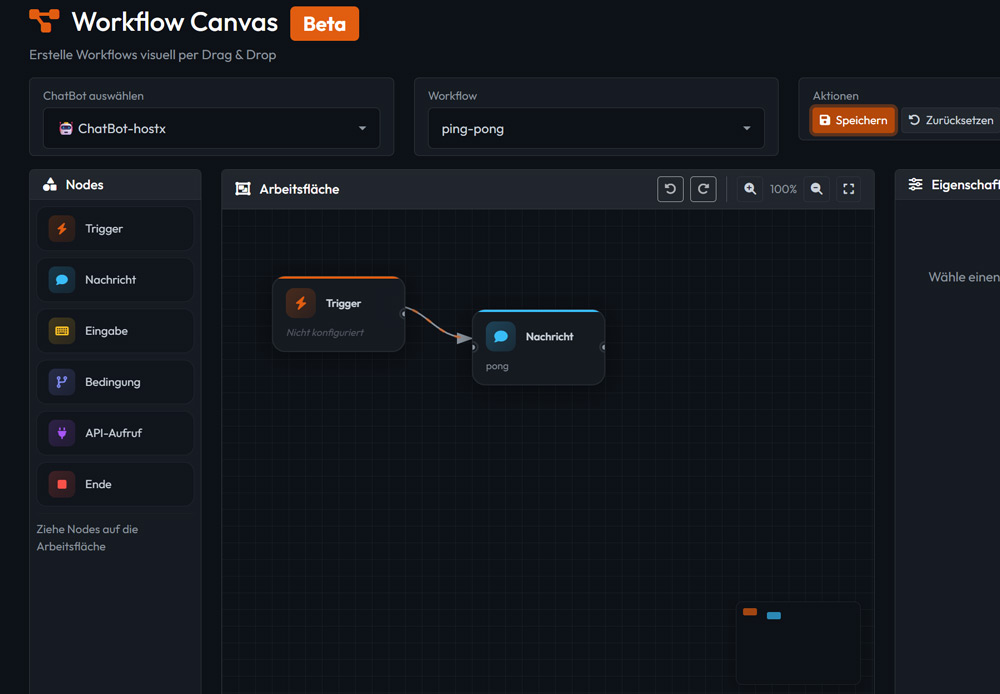
Canvas Workflow Editor

We're excited to announce the launch of our new Canvas Workflow Builder – a powerful visual editor that transforms how you create automated chat experiences. Say goodbye to complex configurations and hello to intuitive drag-and-drop workflow design.

Why Visual Workflows Matter

In the world of customer communication, speed and flexibility are everything. Traditional workflow builders often require technical expertise and time-consuming configurations. Our new Canvas Workflow Builder changes that paradigm entirely.

With a visual approach inspired by modern automation tools like n8n and Zapier, you can now design sophisticated conversation flows in minutes rather than hours. Whether you're building a simple FAQ bot or a complex multi-step support process, the canvas gives you complete control.

Key Features at a Glance

Drag & Drop Nodes

Simply drag nodes from the palette onto your canvas. Connect them with intuitive Bézier curves to create your conversation flow.

Smart Triggers

Start workflows with AI-powered triggers, keyword detection, or regex patterns. The right automation at the right moment.

Conditional Logic

Create branching conversations with condition nodes. Guide users down different paths based on their responses.

API Integration

Connect to external services with API call nodes. Fetch data, update systems, or trigger actions in real-time.

Built for Real-World Use Cases

The Canvas Workflow Builder isn't just about making things look pretty – it's about solving real business challenges. Here are some scenarios where visual workflows shine:

  • Customer Onboarding: Guide new users through setup processes, collect necessary information, and provide personalized recommendations.
  • Support Ticket Routing: Automatically categorize incoming queries and route them to the right team or AI model based on complexity.
  • Lead Qualification: Ask qualifying questions, score leads, and seamlessly hand off hot prospects to your sales team.
  • Appointment Booking: Integrate with calendar APIs to let customers book meetings directly through the chat interface.

Technical Excellence Under the Hood

While the interface is simple, the technology powering it is anything but. Our Canvas Workflow Builder features:

  • Real-time Canvas Rendering: Smooth 60fps performance with hardware-accelerated graphics
  • Grid Snapping: Automatic alignment for clean, professional-looking workflows
  • Zoom & Pan: Navigate large workflows effortlessly with mouse wheel and drag controls
  • Persistent State: Your workflow selections are saved locally, so you can pick up right where you left off
  • Responsive Design: Works seamlessly on desktops, tablets, and large screens

Getting Started

Ready to revolutionize your chat automation? Getting started with the Canvas Workflow Builder is easy:

  1. Log in to your Chatbot-X dashboard
  2. Navigate to Workflows in the sidebar
  3. Click the Canvas button to open the visual editor
  4. Select your chatbot and create a new workflow
  5. Start dragging nodes and building your automation!

Free for All Plans

The Canvas Workflow Builder is included in all Chatbot-X plans at no extra cost. Start building today!

What's Next

We're just getting started. In the coming months, expect to see:

  • Template library with pre-built workflow patterns
  • Advanced analytics for workflow performance
  • Collaborative editing for team workflows
  • More node types including email, SMS, and webhook triggers

We're committed to making Chatbot-X the most powerful and user-friendly chat automation platform available. The Canvas Workflow Builder is a huge step forward, and we can't wait to see what you create with it.

Chatbot-X Team

Building the future of AI-powered customer communication